Typing accuracy sprint · Free online game
Keyboard Typing Sprint
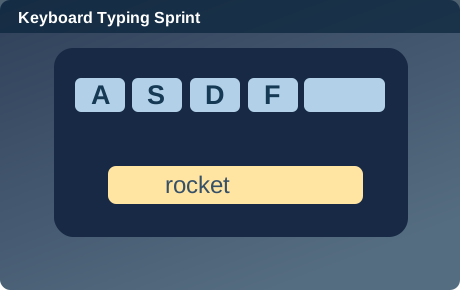
Type ten displayed words correctly before the timer reaches zero.
Loading the game…
Use the controls shown in the game.
Game guide
About this game
Keyboard Typing Sprint turns the rapid on-screen vocabulary typing idea into a short, self-contained browser challenge. It belongs to the typing accuracy sprint collection, and the objective is immediately visible once the game begins.
Keyboard Typing Sprint uses the typing accuracy sprint mechanics with its own theme and settings. This is a self-hosted original browser implementation, not an externally licensed game. The game uses Type ten displayed words correctly before the timer reaches zero.. Its controls and goal are specific to this game, so learn what each input does before trying to beat your score.
Unlike a video that only shows what playing might look like, the activity above runs directly in this page. The action, scoring, and reset controls work in modern desktop and mobile browsers. The goal is to type ten displayed words correctly before the timer reaches zero. Keyboard Typing Sprint has its own rules and controls, and is not a difficulty skin of another title.
How to play
First, choose the Play or Restart control above to begin a fresh round. Type in the text box and press Enter or Submit. The feedback line below the playing area explains the current state or the result.
The round finishes when its goal is achieved or its limit is reached. Type in the text box and press Enter or Submit. If you lose or become stuck, the Restart button creates a fresh round rather than moving you to another website. You can pause to read these instructions, then continue without installing software.
The Keyboard Typing Sprint play field adapts to the width of your device. On desktop, a pointer and the supported keyboard keys are available where relevant. On a phone or tablet, use the visible touch controls or tap the game elements themselves; you do not need to zoom in to operate the board. In a movement game, make one deliberate input first so you can see how the character or vehicle reacts. If your first attempt ends quickly, start again and practice with a slower sequence of inputs.
Strategy and practical tips
Type ten displayed words correctly before the timer reaches zero. Make your first move deliberately and observe the result before increasing the pace.
Use the feedback below the play area to understand what counts as progress. In Keyboard Typing Sprint, the rapid on-screen vocabulary typing setting is decorative; it does not hide paid advantages or alter the published rules. Most improvement comes from learning what changes the board after each input.
When your score is lower than expected, consider whether the issue was speed, planning, or a missed clue. Test one adjustment on the next attempt instead of changing your entire approach at once. Small, repeatable decisions are especially helpful in short browser games.
Difficulty and replay value
Keyboard Typing Sprint has its own rules and controls, and is not a difficulty skin of another title. Keyboard Typing Sprint can be replayed repeatedly, and the random starting arrangement or puzzle conditions may differ from one attempt to the next. Your objective remains the same, so you can compare how your decisions change the outcome.
There is no real-money wagering, loot box, cash prize, or required account. The game is intended as a brief skill, puzzle, or entertainment activity. If you want a different challenge, the related links below lead to other mechanics, not recolored versions of the same game.
Frequently asked questions
Can I play Keyboard Typing Sprint on a phone?
Yes. The game interface includes touch input, and the page adjusts to narrow screens.
Does Keyboard Typing Sprint cost money?
No. This version is free to play and has no in-game purchases.
Do I need to download anything?
No. The game runs in the browser after the page loads. Modern JavaScript support is required.
How do I start again?
Press Restart above the game to reset the challenge. Any current round will be replaced.
Is this an official version of another game?
No. This is an original Trazi Games mini-game that uses common public-domain game ideas and original site code, not a licensed copy of another publisher’s branded title.
Keep exploring